Find a problem · Develop a solution

sageTOOLS

Tools built to solve real problems in my everyday life.

About

Why I built this

I’m a product manager who loves discovering problems and finding solutions to them. I do it professionally, and I enjoy it just as much personally.

Most of that work is on platforms and internal tools. Usually a team is losing hours to some process nobody designed on purpose, and I end up building something that saves money or makes it. Figuring out what’s actually in the way is the part I like.

sageTOOLS is an ever-growing set of personal tools I’ve built for things that take me too long, are too confusing to do by hand, cost a subscription I’d rather not pay, or that I just wanted to build for fun.

AI lets us build faster than ever, and this toolbox is a small part of what I’ve made with it as my co-builder.

Spotlight

Start here

Square Up

No sign-in to start
Problem

Any group event (a multi-day trip, a BBQ, a party) is a dozen charges paid by whoever had their card out, plus what people lent each other along the way. There’s no one bill to split, and no easy way to reconcile it all.

Solution

Square Up lets you log every charge and every loan, with couples and families counted as one. It turns the whole web of charges into one payment per person.

Log
Assign
Settle
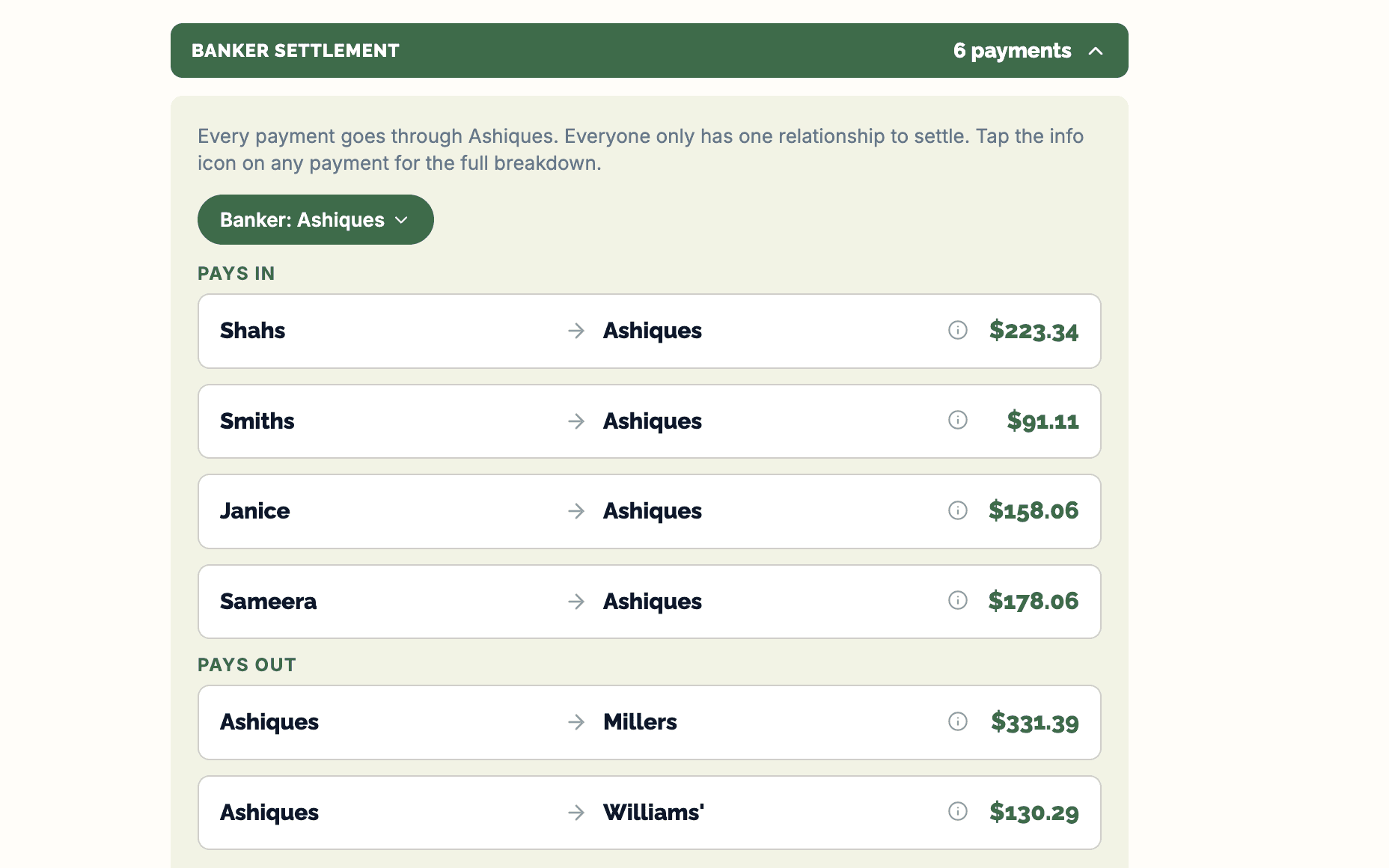
Square Up’s settlement plan: six payments all routed through one household, four households paying in and two being paid back out

Tab Splitter

No sign-in to start
Problem

Checks are often evenly split because it’s easiest to settle. It means whoever had a salad and a water is quietly paying for someone else’s steak and three cocktails. Not fair at all.

Solution

With Tab Splitter, AI scans your receipt, you tap who had what, and everyone gets their own price to pay. Tax, tip and service split in proportion to what they actually ordered. Nothing more.

Scan
Assign
Split
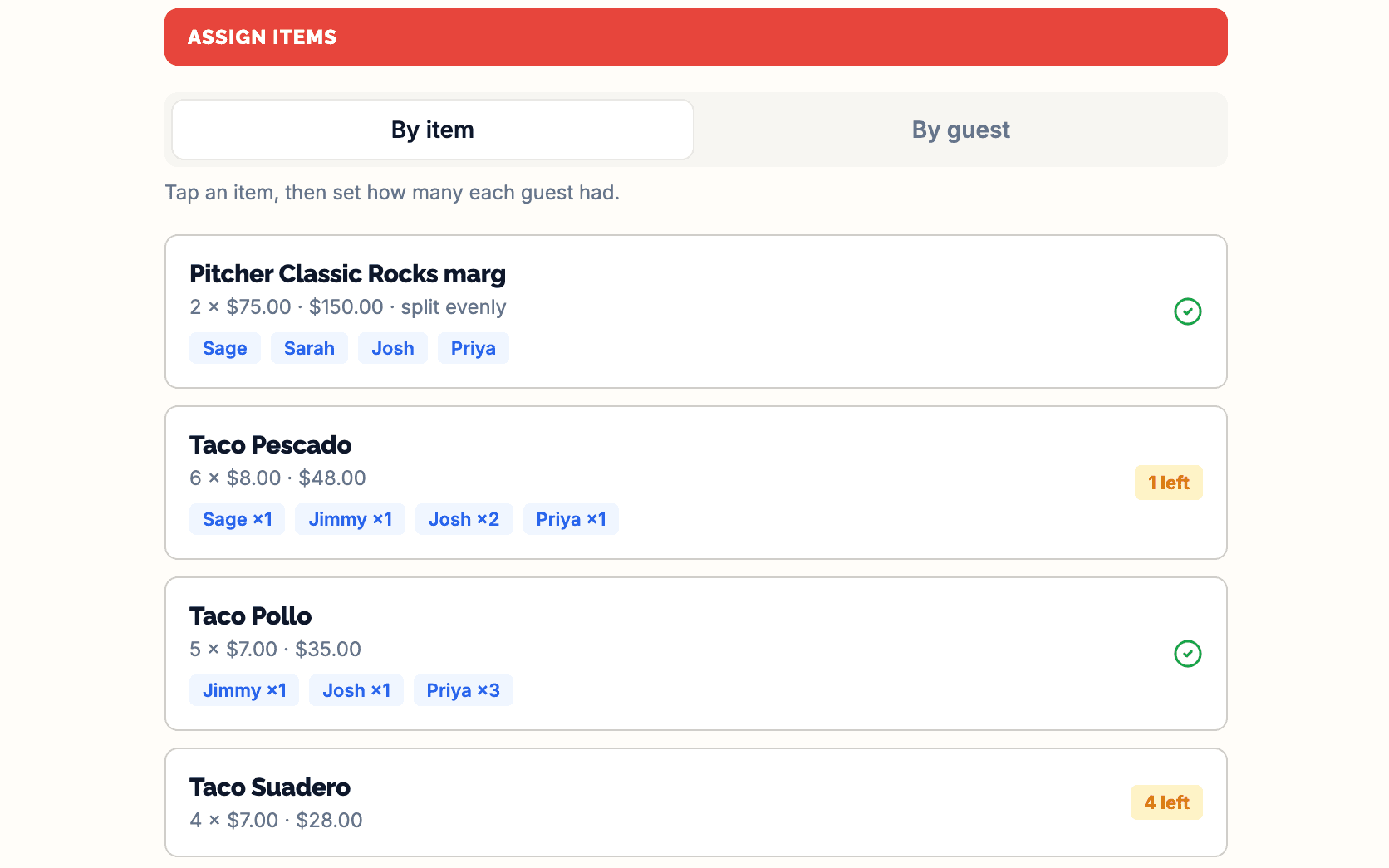
Tab Splitter’s assign step: four receipt lines, each tagged with who had how many — Josh ×2, Priya ×3 — and two still showing units left to claim

Spot Check

In development
Problem

New York City parking can be extremely tough, especially if you don’t know when a spot opens up.

Solution

Two of my outdoor cameras already watch my curb. Now computer vision checks them and tells me whether a spot is open.

Watch
Check
Evidence
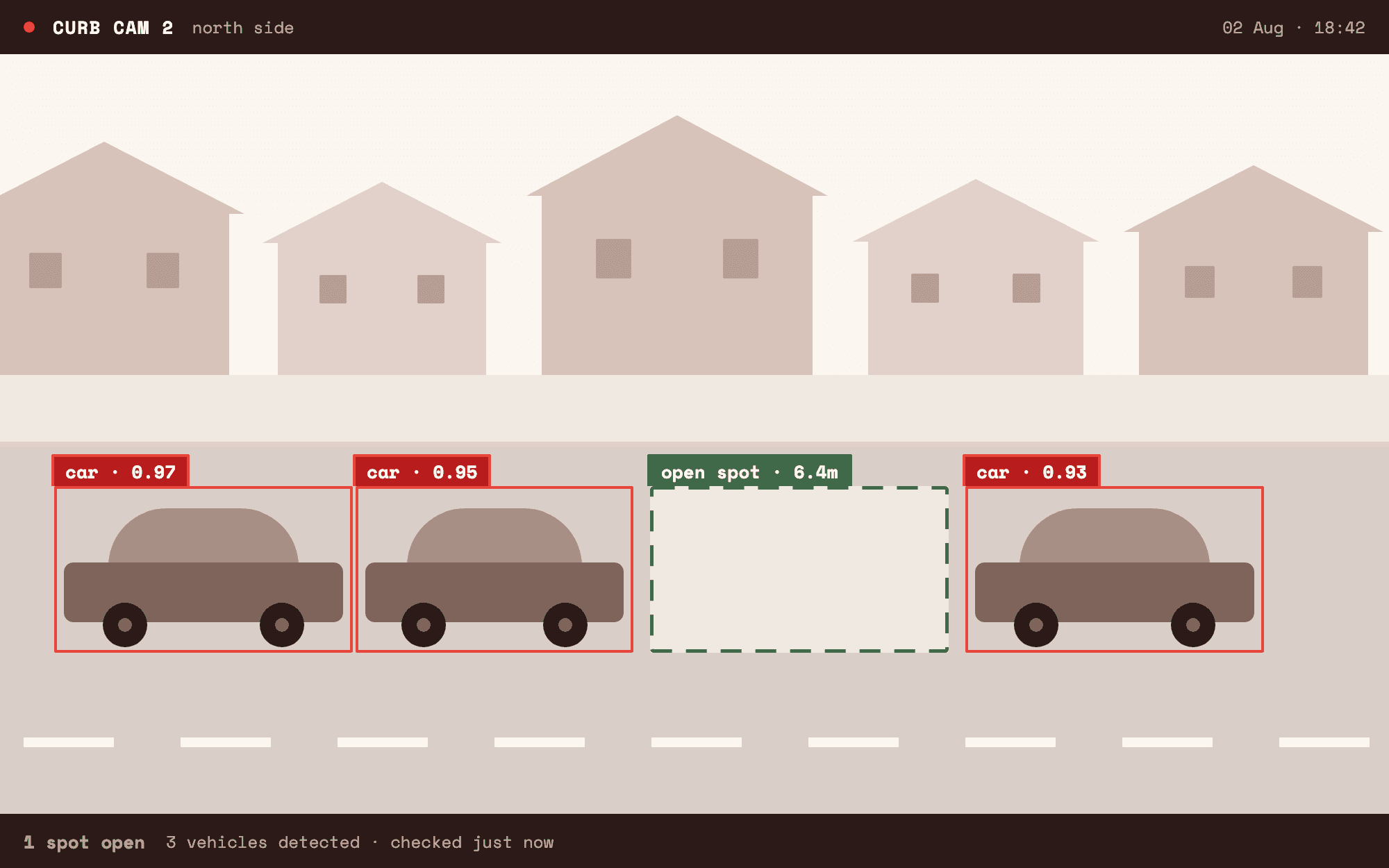
Illustration of Spot Check’s detection view: three parked cars boxed and labelled, and one open space marked as available

Also built

The rest of the toolbox

Recipe Record

Paste a recipe link and get a clean, ad-free version with the ingredients and steps you actually need.

Sign in required

Event Quiz

Build a quiz for a party or event. Guests scan a QR code, answer on their phone, and you reveal the answers live.

Guests need no account

Sound Board

Load your own sounds or pick from built-in ones, arrange them on a pad grid, and share the board with a link.

Demo available

Personal Fax

Upload a PDF, enter a fax number, and send it. Every fax is saved so you can find it again and resend it later.

Sign in required
Sage Ashique

Connect with Sage

Sage Ashique

Senior Product Manager New York

I believe in building tools that help people operate more efficiently.

I’ve built other apps for my portfolio, but these I built for myself, because they add value to my life, as all apps and tools should. These tools may look small from the outside, but a lot of the work that went into them sits underneath the surface: auth, databases, paid APIs, where to use AI and where to use deterministic logic, jobs that run on a schedule, and many other decisions across many iterations. Most were built fast, but all were built because I found a need for them myself.

I realize that most of my tools sit behind a sign-in. That’s because they make calls to paid APIs, and it’s best to keep them gated instead of leaving them open to the internet. If you’re interested in my projects and would like to walk through a live demo, discuss the builds, or chat about any opportunities, I’d love to talk. Send me a message.